D365 Retail

Field notes on Dynamics 365 Commerce & Retail

All articles
SQL Server

"Cannot Show Requested Dialog" in SSMS? Time to Update SQL Server Management Studio

27 March 20181 min readHitesh Manglani

If browsing your database properties in SQL Server Management Studio throws:

Cannot show requested dialog
Method not found: 'System.Collections.Specialized.StringCollection...

it's time for an update.
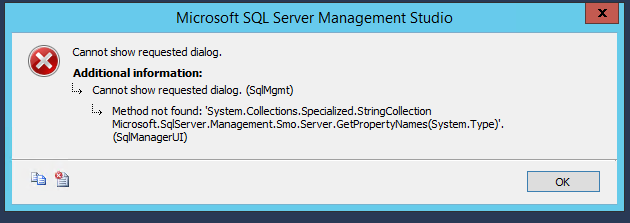
SQL Server Properties Error

Go to Tools → Check for Updates — there's almost certainly a pending update.
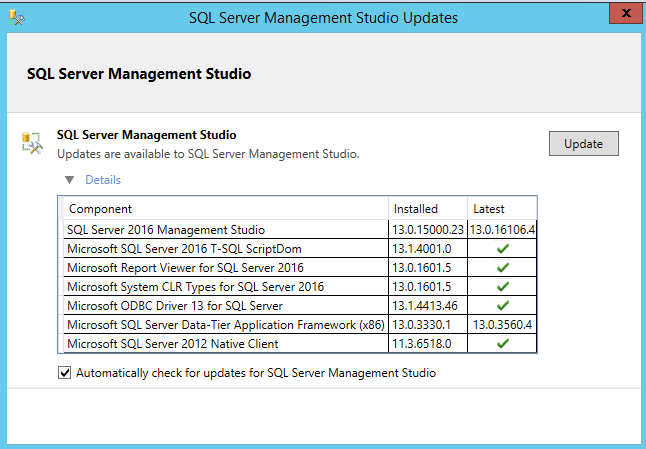
SSMS Update prompt

Click Update to jump to the download page for the latest SSMS release (17.6 at the time of writing). After installing, restart the machine to finish the update.

More on this topic

Stuck on a D365 Commerce issue?

If you need hands-on help with MPOS, CRT extensions, or a Retail deployment, get in touch — I still build these things.

Talk to me