A quick note on how combined date/time fields work in AX / Dynamics 365 for Operations. For the full breakdown of date and time field types in AX, see Date/time data and time zones on docs.microsoft.com.
Dynamics 365 for Operations stores combined date/time fields internally in SQL as UTC. When a value is displayed to a user, an offset based on that user's preferred time zone is applied first.
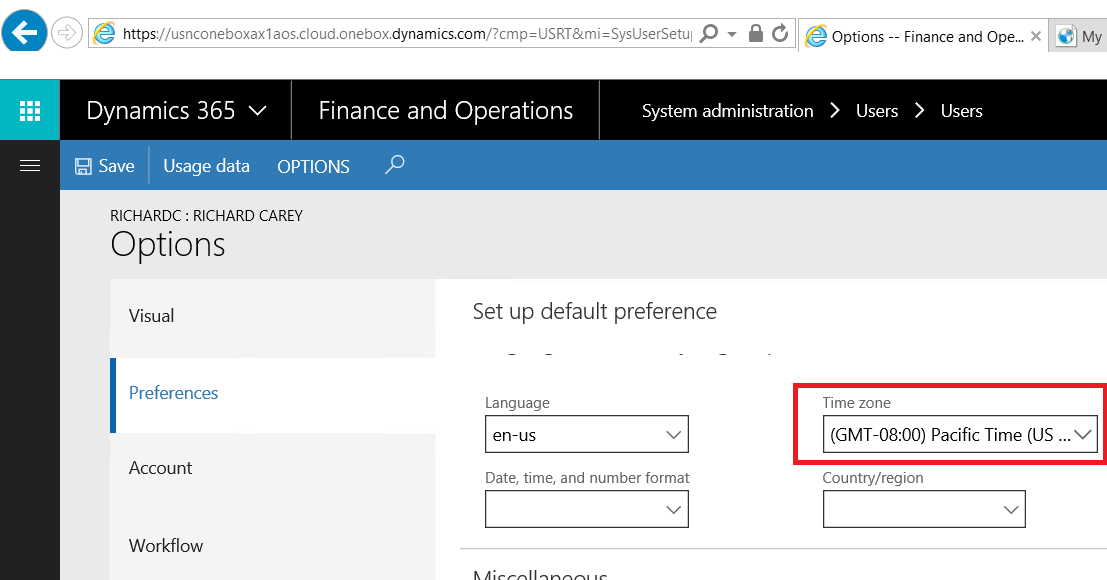
The preference itself lives here:
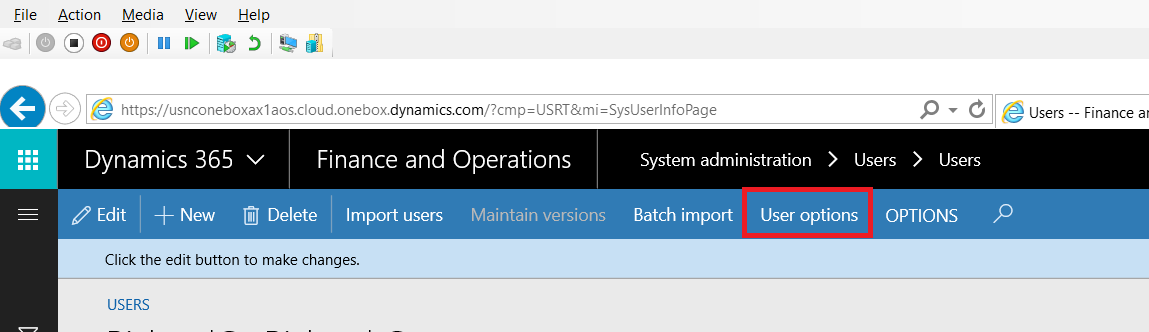
System administration → Users → Users
Options → Preferences
For a deeper dive into the subject with X++ code, see Working with utcDateTime Functionality in Dynamics AX 2012 from StoneRidge Software.