If you're on a Dynamics 365 for Operations VM, this isn't the issue you're looking for — follow the Provisioning the administrator section of the access-instances guide instead.
If you're on AX 2012: after a fresh install, or after restoring someone else's database backup, you may be unable to log on to Microsoft Dynamics AX 2012 — you'll see an error like this:
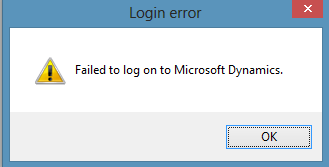
The cause is straightforward: your Windows user isn't configured as a user in the AX database.
The fix
1. Get your SID. (Credit to Rudhra Kumar on the Dynamics AX Community forum.)
For the currently logged-in domain user:
whoami /user
For every domain user on the machine:
wmic useraccount get name,sid
2. Add the SID to AX. In SQL Server Management Studio, insert the SID into the dbo.USERINFO table, and update the NetworkDomain and NetworkAlias columns to match your credentials.